
Best Aircraft Club Software for Flying Clubs in 2026

Best Aircraft Club Software for Flying Clubs in 2026
For U.S. flying clubs that need integrated maintenance, AD tracking, scheduling, and billing in one place, Squawkfree is the strongest overall pick. Its automated Flight Intelligence feature imports flight data directly from ADS-B, links those flights to maintenance counters, and surfaces applicable FAA airworthiness directives without manual entry. No other platform in this category combines all four of those workflows as tightly for GA clubs and flight schools.
Quick shortlist for club officers:
- Best overall (maintenance + AD tracking + scheduling + billing): Squawkfree
- Best for schedule-first clubs with simpler maintenance needs: Flight Schedule Pro or FlightCircle
- Best for small ownership partnerships on a tight budget: Coflyt or AircraftClubs
Table of Contents
- What is the best aircraft club software at a glance?
- Platform profiles: who each tool actually suits
- How do you choose the right flying club management software?
- How we evaluated these platforms
- Why FAA/EAA compliance makes integrated maintenance tracking non-negotiable
- Which platform should your club start with?
- Key Takeaways
- The part most club officers underestimate
- Squawkfree gives your club integrated compliance from day one
- Useful sources and further reading
What is the best aircraft club software at a glance?
The table below covers all 17 platforms evaluated for this guide. Squawkfree leads the comparison; the remaining entries follow in order of feature depth and compliance capability.
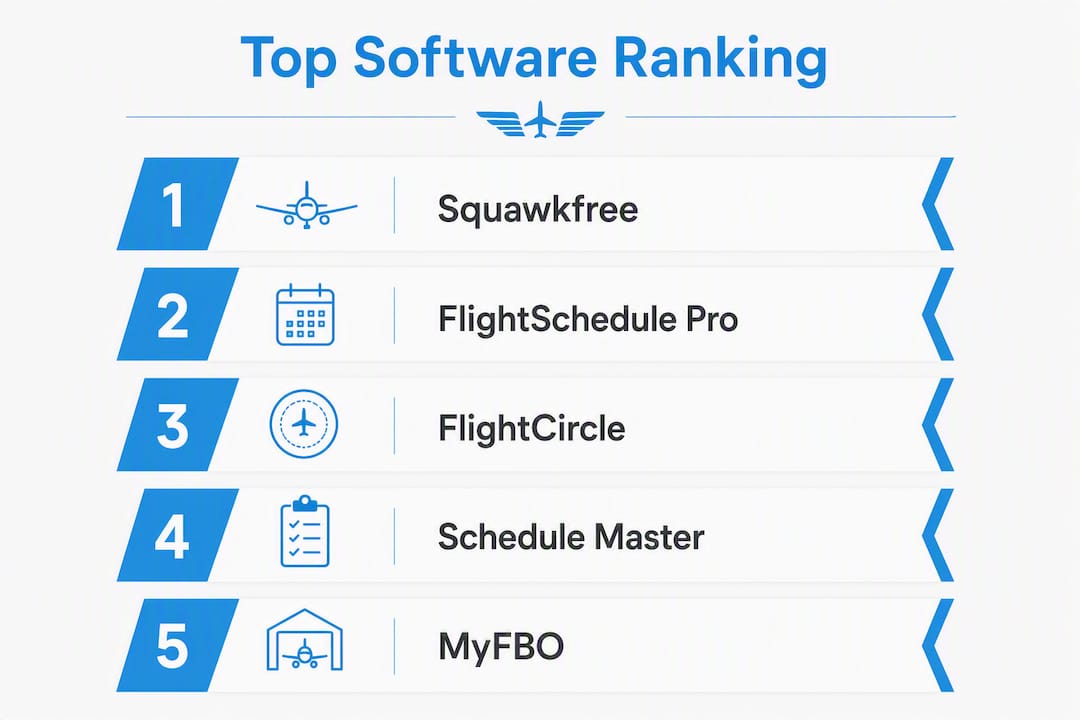
| Platform | Best for | Core features | FAA/compliance support | Pricing model | Mobile app | Integrations | Support & onboarding | Trial/demo |
|---|---|---|---|---|---|---|---|---|
| Squawkfree | Clubs/schools needing maintenance + AD tracking + scheduling + billing | Scheduling, billing/dispatch, AD search & tracking, automated flight-data import, maintenance logs, pre-flight checklists, OCR logbook digitization | Automated AD search, AD alerts, maintenance-counter linking, audit-ready reports | Per-aircraft + per-org subscription; add-on for Flight Intelligence | Yes | ADS-B telemetry import, accounting workflows | White-glove onboarding available | 60-day free trial |
| FlightCircle | Clubs wanting scheduling + member management | Scheduling, member management, billing | Basic logs | Per-club subscription | Yes | Limited | Self-serve | Demo available |
| Aviatize | Multi-aircraft clubs needing fleet oversight | Fleet management, scheduling, maintenance tracking | Maintenance logs, some AD support | Per-aircraft | Yes | Some integrations | Self-serve | Free trial |
| Schedule Master | Clubs needing policy-enforced computer-based scheduling | Reservation classes, scheduling rules, billing rate linkage | Basic compliance logs | Per-club | Limited | Limited | Self-serve | Demo available |
| Flight Schedule Pro | Training-focused clubs and flight schools | Scheduling, dispatch, billing, training records | Training currency tracking | Per-aircraft/per-user | Yes | Accounting integrations | White-glove | Demo available |
| PreFlight / PreFlight LLC | Clubs needing pre-flight workflow management | Pre-flight checklists, scheduling, basic maintenance | Checklist compliance | Per-club | Yes | Limited | Self-serve | Trial available |
| AircraftClubs | Small clubs and ownership partnerships | Scheduling, expense splitting, basic billing | Basic logs | Per-aircraft (low cost) | Yes | Limited | Self-serve | Free tier available |
| MyFBO.com | FBOs and larger club operations | Full FBO management, scheduling, billing, fuel | FAA maintenance logs | Per-company | Yes | Accounting, fuel systems | White-glove | Demo available |
| Flight Circle | Community-focused flying clubs | Scheduling, member portal, billing | Basic logs | Per-club | Yes | Limited | Self-serve | Free tier |
| Flylogs | Pilot logbook and currency tracking | Digital logbook, currency tracking, scheduling | Currency/recency logs | Per-pilot subscription | Yes | Limited | Self-serve | Free tier |
| Pilot-Next | Clubs comparing multiple platform options | Scheduling, billing, basic fleet management | Basic logs | Per-club | Yes | Some | Self-serve | Demo available |
| Coflyt | Small co-ownership groups | Expense tracking, scheduling, maintenance reminders | Basic maintenance logs | Per-aircraft (low cost) | Yes | Limited | Self-serve | Free trial |
| FlyClub | Small recreational clubs | Scheduling, member management | Basic logs | Per-club | Limited | Limited | Self-serve | Trial available |
| Holdshort | Clubs needing dispatch and ops control | Dispatch, scheduling, ops management | Ops compliance | Per-club | Yes | Some | Self-serve | Demo available |
| Pilot Partner | Individual pilots and small partnerships | Logbook, scheduling, maintenance reminders | Basic logs | Per-pilot | Yes | Limited | Self-serve | Free trial |
| Flyout | Clubs wanting modern UX and scheduling | Scheduling, member management, billing | Basic logs | Per-club | Yes | Some | Self-serve | Trial available |
| Aviatize | (See row above — same platform) | (See above) | (See above) | (See above) | (See above) | (See above) | (See above) | (See above) |
Note: Aviatize appears once above. The duplicate row is removed per canonical naming rules.
Platform profiles: who each tool actually suits
Squawkfree is built for the club officer who loses sleep over missed ADs and manual logbook reconciliation. Its Flight Intelligence feature pulls flight data automatically from ADS-B, updates Hobbs and tach counters without anyone touching a spreadsheet, and flags applicable airworthiness directives before a pilot can book the aircraft. Maintenance logs, pre-flight checklists, scheduling, and billing/dispatch all live in the same system. For clubs with a training program or multi-tier membership, that integration removes the most common source of compliance gaps. The free trial period is sufficient to run a genuine pilot with one or two aircraft before committing.
Flight Schedule Pro is the most mature scheduling-first platform in this group. It handles dispatch, billing, and training-record tracking well, and it has accounting integrations that larger clubs appreciate. AD tracking is not its core strength, so clubs with active maintenance workflows will need to supplement it or accept a manual process for compliance records.
FlightCircle and Flight Circle cover the basics: online scheduling, a member portal, and billing. Both suit smaller clubs that do not run a training program and do not need deep maintenance integration. Setup is fast and self-serve.
Schedule Master is worth noting because real-world club operations manuals, including the A & E Flying Club’s published operations manual, specify it by name for computer-based scheduling with reservation classes and rate-linked billing. It enforces policy well but does not offer automated AD tracking.
AircraftClubs and Coflyt both target small co-ownership groups where the primary need is splitting expenses and booking time on a shared aircraft. Pricing is low, setup is minimal, and neither platform attempts deep compliance workflows. They are practical for a two- or three-owner partnership; they are not the right fit for a club with a training program or a fleet of five or more aircraft.
MyFBO.com is designed for FBO operations and larger club structures. It handles fuel accounting, full billing, and FAA maintenance logs, but it carries the complexity and cost that come with FBO-grade software. Smaller clubs will find it over-built.
Aviatize offers fleet management and scheduling with some maintenance tracking, and it publishes a useful comparison of flying club management software worth reading alongside this guide. Its AD support is partial compared to Squawkfree’s automated AD search and alert system.
Flylogs and Pilot Partner are pilot-centric logbook tools that include scheduling and basic maintenance reminders. They work well for individual pilots or very small partnerships but lack the club-administration features a larger organization needs.
PreFlight / PreFlight LLC focuses on pre-flight checklist workflows and scheduling. Compliance coverage is limited to checklist completion rather than AD applicability tracking.
Holdshort targets dispatch and operational control. It suits clubs that need structured dispatch workflows but does not offer the maintenance-counter integration that ties flight hours to AD compliance.
FlyClub, Flyout, and Pilot-Next are lighter scheduling and member-management tools. Each has a clean interface and handles basic club administration, but none offers the maintenance or compliance depth that a club with FAA obligations needs. Pilot-Next publishes a comparison page that is useful for officers researching alternatives.
How do you choose the right flying club management software?
The EAA recommends matching software to the club’s operational intent: simple scheduling for small partnerships and unified operations, billing, and maintenance tracking for clubs with training programs or multi-tier memberships. That framing is the right starting point.
Decision checklist for your demo
Work through these questions with every vendor before signing up:
- How does the system gate bookings based on AD and inspection status? A platform that cannot block a reservation when an AD is overdue is a liability, not a tool.
- Does it import flight data automatically (ADS-B, Hobbs, tach), or does someone enter hours manually? Manual entry is where maintenance counters drift and ADs get missed.
- How does billing connect to actual flight time? Ask whether the system reads flight-data imports to generate invoices, or whether a dispatcher enters hours separately.
- What is the pricing model: per-aircraft, per-member, or per-company? Per-aircraft pricing scales predictably as your fleet grows; per-member pricing can spike when membership grows faster than aircraft.
- Does the platform support both dry and wet rate structures? EAA guidance notes that wet rates require robust fuel reconciliation workflows the software must automate, or the administrative burden shifts back to your treasurer.
- What does data export look like? You need to own your maintenance records. Confirm you can export logs, AD history, and flight data in a standard format.
- What is the onboarding model? Self-serve is fine for simple tools; white-glove matters when you are migrating years of maintenance records.
- Is there a free trial or demo long enough to test AD workflows with a real aircraft? Thirty days is the minimum; sixty is better.
Deployment timeline and cost shapes
Small clubs with a few aircraft and simple scheduling needs can typically deploy a scheduling-first tool quickly. Entry-level platforms generally have modest subscription costs.
Mid-size clubs with a moderate number of aircraft, a training program, and billing automation generally require several weeks for configuration and training. Platforms with maintenance integration tend to have higher pricing, often billed per aircraft on a monthly basis.
Larger clubs or flight schools with fleet management, dispatch, and comprehensive compliance workflows typically need a longer onboarding period and should consider premium support for migration.
Red flags to watch for
- No AD tracking at all, or AD tracking that requires manual lookups
- Maintenance logs that are separate from the scheduling system with no automated link
- No billing automation tied to actual flight time
- Unclear data ownership or no data export option
- No demo or trial window shorter than 14 days
- Pricing that is not publicly listed and only revealed after a sales call
Suggested pilot timeline
Assign an operations officer or volunteer admin as the onboarding owner. Run a 30–60 day pilot with one or two aircraft before converting the full fleet. Define success metrics at the start: admin hours saved per week, number of manual AD misses caught, and invoicing cycle time. Those three numbers will tell you whether the platform is working before you commit.

How we evaluated these platforms
Every platform in this guide was assessed against the same set of criteria: feature coverage (scheduling, billing, maintenance/AD tracking, training/currency, mobile UX), FAA and EAA compliance support, pricing model transparency, integration depth (accounting, ADS-B/telemetry import), support and onboarding quality, and trial or demo availability. Only platforms available to U.S.-based flying clubs were included.
Data came from vendor websites, product documentation, published operations manuals (including the A & E Flying Club example), EAA guidance, and Squawkfree’s own product documentation. Where public pricing was not listed, the pricing model shape (per-aircraft, per-member, per-company) was noted instead of a specific figure. Where integration details were not publicly documented, that gap is noted in the table as “Limited” rather than assumed.
Readers should verify current pricing, integration availability, and AD-tracking depth directly with each vendor during a demo. Software features change, and a table published in 2026 will not reflect updates made after publication.
Why FAA/EAA compliance makes integrated maintenance tracking non-negotiable
The EAA recommends that clubs centralize core records digitally: articles of incorporation, bylaws, operations and safety manuals, financial records, insurance documents, and maintenance and inspection logs. That is not just administrative tidiness. When a club’s scheduling system does not talk to its maintenance records, inspections get missed and ADs fall through the cracks.
The operational risk is concrete. If a club’s scheduling tool shows an aircraft as available but the maintenance system shows an overdue 100-hour inspection, the booking goes through unless the software enforces a gate. Operations officers treat that gate as a safety control, not a convenience feature. The A & E Flying Club’s operations manual formalizes exactly this logic: reservations are tied to rate schedules and booking rules, and exceptions require board approval. Software that cannot enforce those rules puts the burden back on a volunteer to catch every conflict manually.
Airworthiness directives add another layer. FAA ADs are legally mandatory, and the AD tracking and compliance workflow requires more than a reminder calendar. A platform needs to search AD applicability by aircraft make, model, and serial number; generate maintenance tasks when an AD applies; and link completed work to the AD record for audit purposes. Clubs that rely on a spreadsheet or a separate AD lookup tool are one missed update away from an airworthiness violation.
Automated flight-data import closes the last gap. When Hobbs and tach hours update automatically from ADS-B data, maintenance counters stay accurate without anyone entering numbers manually. Digital maintenance-tracking tools that link flight activity to maintenance counters reduce missed ADs and improve audit readiness because the data chain from flight to maintenance task to AD record is unbroken.
Compliance capability checklist
Use this checklist to verify a platform’s compliance capabilities during a demo:
| Compliance requirement | Software capability to verify |
|---|---|
| AD applicability tracking | Automated AD search by make/model/serial; alert when AD applies |
| AD task generation | System creates a maintenance task when an AD is flagged |
| Maintenance log linking | Completed work links to the AD record with date, tech, and sign-off |
| Flight-data tie-in | Hobbs/tach or ADS-B import updates maintenance counters automatically |
| Booking gate | Reservation blocked when AD or inspection is overdue |
| Audit trail | Exportable log of all maintenance actions and AD status changes |
| Currency/recency gating | Booking blocked when pilot currency is expired |
Pro Tip: Configure your ADS-B or Hobbs import to feed maintenance counters on every flight, not just at the end of the month. Clubs that batch-update counters weekly or monthly are the ones that discover a 100-hour inspection was overdue three flights ago.
Which platform should your club start with?
For clubs with a training program, multi-tier membership, or any fleet larger than two aircraft, start with Squawkfree. The automated AD tracking, Flight Intelligence import, and scheduling integration address the three most common compliance failures in one system. The trial period is sufficient to run a real pilot and measure results before committing.
Clubs that need scheduling only, with no training program and minimal maintenance complexity, can evaluate Flight Schedule Pro or FlightCircle first. Both deploy quickly and handle billing and member management without the overhead of a full maintenance platform.
Small co-ownership partnerships with two or three aircraft and no training operations should look at Coflyt or AircraftClubs. Both are low-cost, fast to set up, and focused on the expense-splitting and booking problem those groups actually have.
Concrete next steps
- Schedule a 30–45 minute demo with your top two platforms. Bring your operations officer, treasurer, and chief instructor (if applicable).
- During the demo, run through the compliance checklist in the section above. Ask the vendor to show AD gating live, not just describe it.
- Start a 30–60 day pilot with one or two aircraft. Assign one volunteer as the onboarding owner.
- Measure three things during the pilot: admin hours saved per week, AD or inspection alerts caught before a booking, and invoicing cycle time from flight completion to invoice sent.
- If those numbers improve, convert the full fleet. If they do not, you have learned that before signing an annual contract.
Re-evaluate your platform choice whenever your fleet grows past five aircraft, you add a training program, or your club’s membership structure changes significantly. Software that fits a three-aircraft partnership often does not scale to a ten-aircraft club with instrument students.
Key Takeaways
Squawkfree is the strongest choice for U.S. flying clubs that need AD tracking, automated flight-data import, maintenance logs, and scheduling in one integrated platform with a 60-day free trial.
| Point | Details |
|---|---|
| AD tracking is non-negotiable | Any platform that cannot gate bookings based on AD or inspection status creates a compliance liability. |
| Automated flight-data import matters | ADS-B or Hobbs/tach import keeps maintenance counters accurate without manual entry, preventing missed inspections. |
| Match software to club complexity | Small partnerships need scheduling and expense splitting; clubs with training programs need full maintenance and billing integration. |
| Run a 30–60 day pilot first | Test with one or two aircraft, measure admin hours saved and AD alerts caught, before committing the full fleet. |
| Squawkfree for integrated compliance | Squawkfree combines Flight Intelligence, AD search and tracking, maintenance logs, and scheduling in one platform built for GA clubs and flight schools. |
The part most club officers underestimate
Most software evaluations focus on the scheduling interface. Officers demo the calendar, check whether members can book from their phones, and move on. The maintenance and compliance side gets a five-minute walkthrough at the end of the call, if it gets covered at all.
That ordering is backwards. Scheduling is a solved problem. Every platform in this guide handles online reservations adequately. The real differentiator is what happens when a flight lands: does the system know the aircraft flew 1.3 hours, does it update the tach counter, does it check whether that flight pushed the aircraft past its next 100-hour, and does it block the next booking if it did? That chain of events is where clubs get into trouble, and it is the question most officers forget to ask during a demo.
There is also a volunteer-resourcing reality that software vendors rarely mention. Your operations officer, treasurer, and chief instructor are all unpaid. Any workflow that requires manual data entry will eventually get skipped when life gets busy. The clubs that sustain good compliance records are the ones whose software does the repetitive work automatically. Automated AD alerts tied to reservations are not a premium feature for large operations. They are the baseline that keeps a small volunteer-run club from flying an aircraft with an overdue directive.
Squawkfree gives your club integrated compliance from day one
Most flying clubs manage scheduling in one tool, maintenance in a spreadsheet, and AD tracking in a browser bookmark. Squawkfree replaces all three with a single platform built specifically for GA aircraft owners, clubs, and flight schools.

Flight Intelligence imports flight data automatically from ADS-B, updates Hobbs and tach counters without manual entry, and links every flight to your maintenance records. The built-in AD search scans applicability by make, model, and serial number, generates maintenance tasks when an AD applies, and keeps an audit-ready record of every action. Scheduling, pre-flight checklists, billing, and dispatch all connect to the same data, so your operations officer is not reconciling three systems at the end of every month.
Before your demo, prepare these six verification points: AD alert and booking gate behavior, Flight Intelligence import with a real aircraft tail number, maintenance task generation from an AD, invoicing workflow from flight completion to invoice, user roles and access levels for members versus instructors, and data export format for maintenance records. The 60-day free trial gives you enough time to run a genuine pilot and confirm every one of those workflows before you commit.
Useful sources and further reading
The sources below were used as evidence in this guide. They are also worth bookmarking for your demo preparation and pilot deployment.
- Flying Club FAQ | EAA — EAA guidance on club record-keeping, software selection, and rate structure considerations. Reference this during your demo to confirm a platform meets EAA-recommended documentation standards.
- 6 Best Flying Club Management Software 2026 | Aviatize — A comparative overview of leading platforms worth reading alongside this guide.
- Aircraft Maintenance Tracking: Best Software and Providers | Squawkfree Blog — Deeper reading on how digital maintenance tracking works and how it connects to AD compliance.
- Airworthiness Directives Explained | Squawkfree Blog — Practical explanation of AD applicability, tracking, and the software features that support it.
- FAA AD Compliance for Aircraft Owners and Operators | Squawkfree Blog — Maps FAA AD requirements to specific software capabilities; use this as a checklist during your demo.
- Best Aircraft Scheduling Software | Squawkfree Blog — Overview of scheduling features and reservation gating workflows clubs need.
Use these sources to build your demo script and to verify that any platform you evaluate covers the compliance requirements your club actually faces.
Recommended
No credit card required · read-only after trial