
Best Aircraft Maintenance Planning Software for GA Owners

Best Aircraft Maintenance Planning Software for GA Owners
For most U.S. general aviation owners, co-owners, and flight schools, Squawkfree is the recommended aircraft maintenance planning software. It combines FAA airworthiness directive tracking, automated flight-data import, human-verified logbook digitization, and shared scheduling in one platform built specifically for GA operations.
Here is why it earns that recommendation:
- FAA AD and audit trail coverage. Squawkfree tracks airworthiness directives directly and logs every maintenance action with a time-stamped, auditable history, so you are ready when an FAA inspector walks in.
- Flight Intelligence auto-import. ADS-B flight data flows into the system automatically, eliminating manual tach-hour entry and flagging possible deferred defects before they become AOG events.
- Human-verified logbook digitization. Paper records are converted to searchable, audit-ready digital files using OCR plus human review, which catches errors that automated scanning alone misses.
- Scheduling and shared access. Flight schools and clubs can manage dispatch, assign roles, and coordinate maintenance windows across their entire fleet without a separate scheduling tool.
One situation where Squawkfree is not the right fit: large enterprise MROs and airline CAMOs that need airline-scale capacity optimization, multi-base hangar modeling, or proprietary algorithmic planning engines integrated with AMOS, Maintenix, or SAP HR. Those operations require a different class of tool entirely.
Table of Contents
- What does the best aircraft maintenance planning software need to do?
- Which core features actually matter for a GA operator or flight school?
- How do you migrate to a modern planning system without losing data?
- What security and audit-readiness standards should your software meet?
- How does Squawkfree meet the buyer checklist?
- What are your concrete next steps after reading this?
- Key Takeaways
- The gap between feature lists and operational reality
- Squawkfree gives GA operators a 60-day head start on compliance
- Helpful sources and further reading
What does the best aircraft maintenance planning software need to do?
Choosing the right platform starts with matching the software’s design to your operation type. A flight school managing ten Cessna 172s has different needs than a Part 145 repair station handling heavy checks. Before you evaluate any vendor, work through this checklist.
Buyer checklist:
- Operation type: GA owner, co-owner group, flight school, club, or Part 145 MRO?
- Fleet size and aircraft types: how many tail numbers, and do any have complex component life-limits?
- Roles involved: CAMO, line maintenance, dispatcher, CFI, student, accountable manager?
- Mobile and offline needs: do mechanics sign off work orders on a tablet in a hangar with spotty Wi-Fi?
- Certification and audit needs: FAA Part 91, Part 141, or Part 145 record-keeping requirements?
- Integration requirements: does the system need to connect to accounting software, parts suppliers, or an existing M&E system?
Once you have those answers, bring them to every vendor demo. Cloud-native platforms shift teams from reactive troubleshooting to proactive capacity planning by providing real-time visibility into personnel and hangar availability. That shift only happens if the platform actually fits your operation’s scale and workflow.
Vendor questions to ask on a demo:
- How does data migration work, and what format do you accept for historical logbook records?
- How are ADs tracked — manually flagged or automatically pulled from the FAA database?
- What is the cadence for flight-data auto-import, and does it work with ADS-B receivers we already own?
- Can mechanics sign off work orders offline, and how does the system sync when connectivity returns?
- Do you hold SOC2 Type II certification, and who owns the data if we cancel?
- What integrations exist for accounting or ERP systems?
Red flags to watch for: an unclear or non-exportable audit trail, AD tracking that relies on manual entry, no human-verified logbook import option, and no data portability guarantee on contract termination.
On pricing, GA-focused platforms typically charge per aircraft per month, with add-ons for flight-data automation. Enterprise MRO platforms often charge per user seat or per module, with implementation fees that can run well into five figures. For a flight school with five to fifteen aircraft, per-aircraft pricing is almost always more predictable.
Pro Tip: During a demo, request a sample AD compliance report and a maintenance history export for a test aircraft. If the vendor cannot produce both in under five minutes, the audit-readiness claim is not credible.
Which core features actually matter for a GA operator or flight school?
Features listed on a vendor’s website and features that work in daily operations are not always the same thing. Here is what each capability delivers in practice.
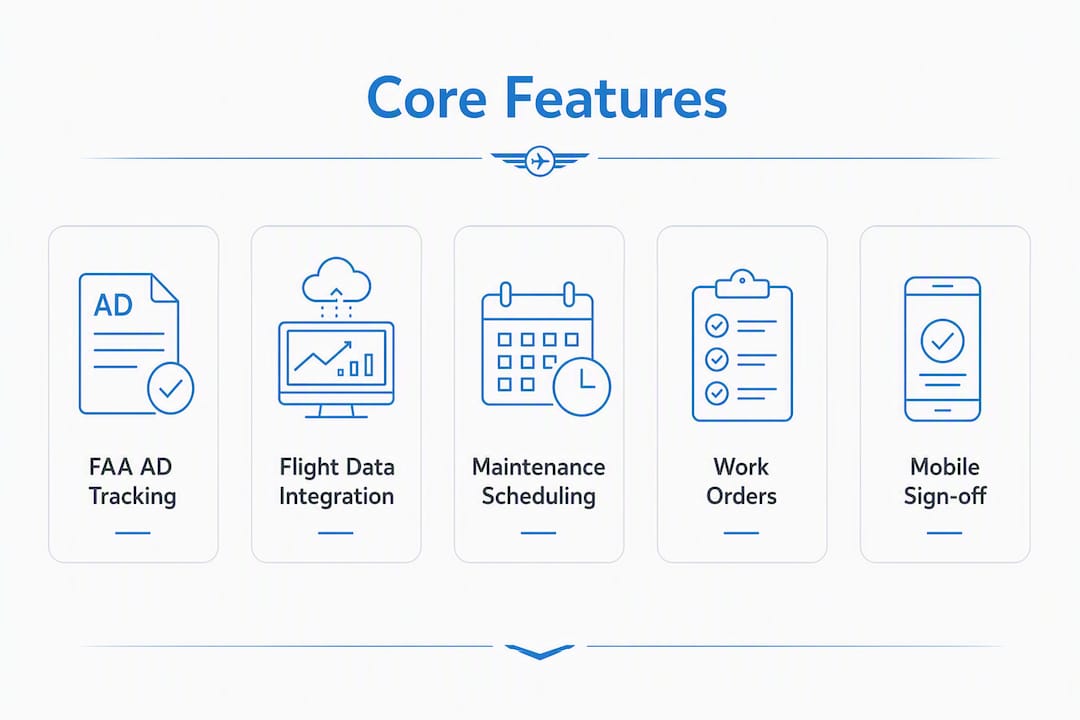
Maintenance scheduling vs. capacity planning
For a GA owner or flight school, maintenance scheduling means knowing when each aircraft’s 100-hour inspection, annual, or oil change is due, and blocking that aircraft from dispatch in time to get it done. Capacity planning, by contrast, involves modeling hangar space, labor hours, and multiple aircraft simultaneously across weeks or months. Airline-grade tools like AVIATAR’s Maintenance Planning Optimization use advanced algorithms to handle that complexity. For most GA operators, a clear due-date calendar with automated alerts is what actually prevents missed inspections.
Work orders and digital task cards
A digital work order captures who did the work, when, what parts were used, and what the sign-off authority was. That chain of custody is exactly what an FAA inspector reviews during a ramp check or annual audit. Integrated systems that connect planning, execution, and compliance into one workflow reduce AOG events and speed turnarounds because nothing falls through the gap between a planner’s schedule and a mechanic’s task card.

AD tracking and the alert-to-work-order sequence
The most operationally valuable AD workflow looks like this: the system pulls a new AD from the FAA database, matches it to affected tail numbers in your fleet, generates an alert, and lets you convert that alert directly into a work order with a due date. Manual AD tracking, where someone reads the Federal Register and updates a spreadsheet, is where compliance gaps happen. Systems that automate audit trails for ADs and maintenance history materially reduce audit risk and administrative burden during FAA inspections.
Flight-data integration and predictive flagging
When ADS-B data flows automatically into the maintenance record, tach hours and Hobbs time update without anyone typing a number. More usefully, the system can flag when an aircraft is approaching a maintenance threshold based on actual flight hours rather than a calendar estimate. That is the practical value of predictive maintenance analytics for GA operators: fewer surprises, more planned work.

Inventory, parts traceability, and AOG reduction
Parts tracking in a GA context means knowing which serialized components are installed on which aircraft, when they were last replaced, and when they are next due. For a flight school, it also means knowing whether you have a replacement part on the shelf before you ground an aircraft. When parts management connects to the work-order system, AOG time drops because the parts question gets answered before the wrench comes out.
Mobile sign-off and offline capability
Mechanics work in hangars, not at desks. A platform that requires a desktop browser for work-order sign-off will be bypassed in practice. Test mobile sign-off during the demo: can a mechanic open a task card, record a finding, attach a photo, and sign off, all from a phone or tablet? And what happens when the hangar Wi-Fi drops?
Reporting and analytics
For a maintenance manager, the most useful reports are: upcoming due items by tail number, open work orders by status, AD compliance status across the fleet, and maintenance cost by aircraft. For a flight school, dispatch availability by aircraft and revenue hours per tail number matter too. If a vendor cannot show you those reports in a demo, ask how long it takes to build them.
How do you migrate to a modern planning system without losing data?
Switching platforms is the part most operators underestimate. The software setup is rarely the bottleneck. Cleaning and mapping historical maintenance logs is what takes time, and skipping that step produces a new system with unreliable compliance data.
Migration checklist:
- Inventory all records. List every aircraft, its logbooks (airframe, engine, propeller, avionics), and any paper maintenance records held by your shop or A&P.
- Digitize paper logbooks. Decide between self-service scanning and a human-verified OCR service. Human verification catches handwriting errors and ambiguous entries that automated scanning misses.
- Map component life-limits. For each serialized component, record the installed time, total time since new, and time since overhaul. This is the slow step.
- Configure AD tracking. Load your aircraft makes and models so the system can match applicable ADs automatically.
- Set up integrations. Connect flight-data sources (ADS-B receivers, flight-tracking accounts), accounting software, and any parts-supplier portals.
- Run a pilot with one aircraft. Use a real logbook and real flight data. Verify that the compliance reports match your paper records before expanding.
- Train all users by role. Mechanics, dispatchers, CFIs, and managers each need a different orientation. Role-based training reduces errors at go-live.
- Full rollout and audit verification. Export a sample compliance report and AD history before decommissioning the old system.
| Migration phase | Typical duration (GA/flight school) |
|---|---|
| Record inventory and digitization | A few weeks |
| Data mapping and system configuration | About one to two weeks |
| Pilot (one aircraft, real data) | About one to two weeks |
| Training by role | Several days |
| Full fleet rollout | About one to two weeks |
| Audit verification and sign-off | Several days |
| — | — |
| Record inventory and digitization | 2–4 weeks |
| Data mapping and system configuration | 1–2 weeks |
| Pilot (one aircraft, real data) | 1–2 weeks |
| Training by role | 3–5 days |
| Full fleet rollout | 1–2 weeks |
| Audit verification and sign-off | 3–5 days |
The most common bottleneck is step three: mapping component life-limits for engines and props with partial or handwritten logbook entries. Budget more time here than you think you need. Squawkfree’s logbook digitization service uses human-verified OCR to convert paper records into searchable digital files, which reduces that bottleneck significantly compared with self-service scanning.
What security and audit-readiness standards should your software meet?
An FAA inspector reviewing your maintenance records expects to see a clear, unbroken chain of entries: who performed the work, under what authority, on what date, with what parts. Your software needs to make that chain visible and exportable on demand.
Audit-trail checklist:
- Time-stamped work-order history with technician identity and sign-off authority
- Digital signatures tied to individual user accounts (not shared logins)
- AD traceability: which AD, which aircraft, compliance date, and method of compliance
- Logbook change history: any edits to a record must show the original entry, the change, and who made it
- 100-hour and annual inspection records accessible by tail number and date
Security checklist:
- Data ownership: confirm in writing that you own your records and can export them at any time
- Backup frequency and geographic redundancy
- Export formats: PDF and CSV at minimum, so records are usable outside the platform
- SOC2 Type II certification or equivalent controls
- Role-based access: mechanics, dispatchers, and managers should see only what their role requires
- SSO options for flight schools managing large user counts
The export portability question is the one most operators forget to ask. Request a full data export during the trial period and verify that the exported files are readable without the vendor’s software. If you ever need to switch platforms or respond to an FAA records request, that export is your safety net. For a deeper look at what FAA inspectors actually review, the FAA compliance guide for maintenance logs covers the specific record formats and retention periods that apply to Part 91 and Part 141 operations.
Top systems automatically log maintenance actions, creating robust traceability for FAA and other regulators. That automatic logging is the difference between an audit that takes an hour and one that takes a day.
How does Squawkfree meet the buyer checklist?
| Dimension | Squawkfree |
|---|---|
| Best for | GA owners, co-owners, flight schools, and clubs |
| Core features | FAA AD tracking, Flight Intelligence (ADS-B auto-import), work orders, scheduling, pre-flight checklists, cloud document storage, dispatch and billing |
| Deployment and migration effort | 60-day free trial; human-verified logbook digitization available as a paid service to accelerate migration |
| Pricing model | Per-aircraft subscription; per-aircraft add-on for Flight Intelligence; one-time or subscription logbook digitization |
| Compliance and audit-readiness | Time-stamped audit trail, AD traceability, digital logbook records, exportable compliance reports |
| Integrations and mobile/offline | ADS-B flight-data import, cloud document storage, mobile-accessible interface, shared role-based access |
A flight school with a mixed fleet of trainers can use Squawkfree to centralize dispatch scheduling, track each aircraft’s tach hours automatically via Flight Intelligence, and receive AD alerts the moment a new directive applies to a registered make and model. When paper logbooks from a recently acquired aircraft need to be brought into the system, the human-verified OCR digitization service converts them into searchable records without requiring the school’s staff to manually re-enter years of maintenance history. That combination, automated flight data in, verified historical data in, and a shared scheduling layer on top, is what reduces the administrative load for a small maintenance team.
The 60-day free trial gives you enough time to run the full migration pilot described above: digitize one logbook, import real flight data, generate an AD compliance report, and verify the export before committing. Squawkfree’s AD compliance resources walk through the specific tracking workflow in detail.
Pro Tip: During your trial, run a simulated FAA records request: pull the full maintenance history and AD compliance report for one aircraft and time how long it takes. If it takes more than ten minutes, the audit-readiness is not where it needs to be.
What are your concrete next steps after reading this?
Three steps get you from evaluation to a confident decision.
Step 1: Prepare your fleet data and key questions. Before any vendor demo, gather a sample logbook (airframe and engine), a list of your aircraft makes and models, and one or two recent ADs that apply to your fleet. Having real data in hand exposes gaps in a vendor’s demo that a polished slide deck will not.
Step 2: Run a short pilot with one aircraft and real logbooks. Use the trial period to digitize one logbook, import actual flight data, and generate a compliance report. A pilot that uses real records surfaces integration issues and data-quality problems that a demo with sample data never will.
Step 3: Validate export and audit reports before full rollout. Export the full maintenance history and AD compliance record for your pilot aircraft. Confirm the files are readable, complete, and match your paper records. Only then expand to the full fleet.
Demo-prep artifacts to have ready:
- Sample logbook pages (handwritten entries are a good stress test for OCR)
- A list of applicable ADs for at least one aircraft in your fleet
- Access to your ADS-B receiver or flight-tracking account credentials
- Your current scheduling or dispatch process documented in one page
For enterprise airline CAMOs or large Part 145 MROs needing multi-base hangar optimization and algorithmic capacity planning, Squawkfree is not the right tool. Those operations should evaluate airline-grade MRO planning platforms with native M&E system integrations.
Pro Tip: Ask the vendor to show you the AD alert-to-work-order sequence live, using one of your actual aircraft’s make and model. That single workflow test reveals more about real-world compliance handling than any feature list.
Key Takeaways
Squawkfree is the recommended aircraft maintenance planning software for U.S. GA owners, co-owners, and flight schools that need FAA AD tracking, automated flight-data import, and human-verified logbook digitization in one platform.
| Point | Details |
|---|---|
| Match software to operation type | GA owners and flight schools need per-aircraft scheduling and AD tracking, not airline-grade capacity optimization. |
| Validate audit-readiness during the trial | Export a full AD compliance report and maintenance history for one aircraft before committing to full rollout. |
| Budget time for data migration | Mapping component life-limits and digitizing paper logbooks is often the slowest part of any migration, not the software setup. |
| Flight-data auto-import reduces AOG risk | ADS-B integration updates tach hours automatically and flags maintenance thresholds before they become groundings. |
| Squawkfree fits GA and flight schools | Its Flight Intelligence, human-verified OCR digitization, and shared scheduling address the core needs of U.S. GA operators. |
The gap between feature lists and operational reality
Most articles comparing aviation maintenance software spend their energy on feature matrices. What they underestimate is how much the operational fit matters more than the feature count.
A platform with forty modules and an algorithmic planning engine is genuinely impressive for an airline maintenance organization. For a flight school with eight Pipers and two mechanics, that same platform is a liability: too complex to configure, too expensive to justify, and too slow to onboard for the compliance benefit it delivers.
The more useful question is not “which platform has the most features?” but “which platform will your mechanics and dispatchers actually use every day?” Software that gets bypassed because it is too cumbersome produces worse compliance outcomes than a simpler tool used consistently. Successful planners rely on deep operational experience, and the best software amplifies that expertise rather than replacing it with complexity.
Flight-data integration is the one area where the feature genuinely changes the compliance picture for GA operators. Manual tach-hour entry is where errors accumulate. When ADS-B data flows automatically, the maintenance record reflects actual flight time, not someone’s best recollection at the end of a busy Saturday. That accuracy is what makes the difference between a clean 100-hour inspection and one that is overdue by three hours because the logbook was not updated.
The right move for most GA operators is a focused tool that does compliance, scheduling, and flight-data integration well, and gets out of the way for everything else.
Squawkfree gives GA operators a 60-day head start on compliance
Squawkfree is built for the operator who needs FAA AD tracking, automated flight-data logging, and clean maintenance records without the overhead of an enterprise MRO platform. The 60-day free trial is long enough to digitize a logbook, import real flight data via Flight Intelligence, and generate an audit-ready compliance report for an actual aircraft in your fleet.

For flight schools, the dispatch and billing tools, shared role-based access for CFIs and dispatchers, and per-aircraft scheduling make it a practical replacement for spreadsheets and paper sign-out sheets. The human-verified logbook digitization service handles the migration heavy lifting, converting paper records into searchable digital files so your team is not spending weeks on manual data entry. Onboarding support is available throughout the trial, and the per-aircraft pricing model scales with your fleet rather than locking you into a seat-count contract. Start your 60-day free trial at squawkfree.com and bring one real logbook and one aircraft’s AD history to your first session.
Helpful sources and further reading
For compliance requirements, regulatory guidance, and deeper how-tos, these resources are worth bookmarking:
- FAA airworthiness directive database and regulatory guidance — the primary source for AD applicability and compliance requirements
- NBAA — National Business Aviation Association — industry guidance on maintenance standards and best practices for business and GA operators
- Capterra aviation maintenance software directory — independent software listings and user reviews for broader market context
- Squawkfree blog: aircraft maintenance tracking — capabilities for regulatory tracking and audit-trail creation
- Squawkfree blog: FAA AD compliance — AD search and tracking best practices for GA owners
- Squawkfree blog: airworthiness directives explained — background on AD types, applicability, and compliance methods
- Squawkfree blog: best FAA audit software — audit-readiness and report export guidance
- Squawkfree blog: flight school scheduling software — scheduling and dispatch workflows for Part 141 schools and clubs
For questions about specific fleet configurations or to request a demo, the Squawkfree team can be reached directly through the product site. Case studies and operator-specific examples are available on the Squawkfree blog.
This article provides general information about aircraft maintenance software selection and is not a substitute for advice from a qualified aviation maintenance professional or FAA-authorized representative. Confirm current regulatory requirements with the FAA or a certified A&P/IA before making compliance decisions.
Recommended
No credit card required · read-only after trial