
What Flight School Data Analytics Actually Delivers

What Flight School Data Analytics Actually Delivers
The best approach to flight school data analytics is an integrated training-intelligence platform that auto-ingests flight data and connects it to scheduling and maintenance records. Done right, it spots at-risk students before a checkride failure, pushes fleet utilization toward its practical ceiling, cuts instructor admin time, and keeps you audit-ready against Airman Certification Standards.
TL;DR:
- Most flight schools should implement an integrated platform that automatically ingests flight, scheduling, and maintenance data for comprehensive analytics.
- Key metrics to track include student progress by Airman Certification Standards area, fleet utilization, unscheduled downtime, and lessons-to-certificate time, with separate analysis for Part 61 and Part 141 students.
- Reliable data sources include avionics logs, scheduling and billing systems, maintenance logs, GPS apps, and OCR-digitized paper records, with API integration preferred for ease of use.
- Successful analytics rollout requires starting with a small pilot, automating data ingestion, integrating into existing instructor workflows, and demonstrating quick wins within 30 to 90 days.
- Vendors claiming “AI-powered” analytics must prove genuine live auto-import capabilities during demonstrations, with platform choice favoring integrated over piecemeal tools for consistent KPI tracking.
Table of Contents
- What Does Flight School Data Analytics Cover?
- Which KPIs Should You Track First?
- Where Does the Data Actually Come From?
- How Do You Roll Out Analytics Without Instructor Pushback?
- How Do You Verify a Vendor’s “Training Intelligence” Claims?
- Integrated Platform or Piecemeal Tools?
- Ready to Put Your Fleet Data to Work?
- What I’ve Learned Watching Flight Schools Adopt Analytics
- Sources
What Does Flight School Data Analytics Cover?
Flight school data analytics splits into three practical buckets, and you need all three working together, not just one.
Training intelligence is the piece getting the most attention right now. Platforms use automated flight-profile analysis to score student performance against Airman Certification Standards, flagging deviations in specific maneuvers as they happen rather than three weeks later during a stage check. AI-driven debriefing tools can detect a pattern (say, consistent altitude drift on steep turns) and surface it to the instructor before it becomes a habit that costs the student extra hours.
Fleet analytics tracks utilization rates, downtime causes, and maintenance trends across your aircraft. This is where predictive maintenance approaches matter most: knowing which tail number is trending toward an unscheduled squawk lets you plan around it instead of scrambling.
Instructor and revenue dashboards tie the first two together. They show:
- Hours flown per instructor versus scheduled availability
- Revenue per flight hour by aircraft type
- Lesson cancellation and no-show rates
- Student-to-instructor ratio trends over a semester or quarter
A school that only tracks one bucket is flying with half the instruments covered.
Which KPIs Should You Track First?
Not every metric deserves a dashboard tile. Focus on the ones that predict problems before they cost you a student or an aircraft day.
Start with these:
- Student progression by ACS area — where are learners consistently weak (crosswind landings, radio work, checklist flow)?
- Hours to certificate compared against your school’s historical average
- Lesson completion rate — how often a scheduled lesson actually meets its objective
- Fleet utilization percentage — hours flown divided by hours available
- Unscheduled downtime as a percentage of total fleet hours
- Instructor utilization rate — billable hours versus paid hours
- Revenue per flight hour, broken out by aircraft type
- Maintenance backlog, measured in open squawks and average resolution time
Pro Tip: Track hours-to-certificate separately for Part 141 and Part 61 students. Part 141’s structured syllabus tends to produce tighter, more predictable numbers, while Part 61’s flexibility means wider variance. Blending them into one average hides real signal.
A fleet utilization rate that falls significantly during peak flying season usually points to a scheduling or maintenance bottleneck worth investigating, not a demand problem.

Where Does the Data Actually Come From?
Analytics are only as good as what feeds them, and manual entry is where most flight school data programs quietly die. Instructors already have enough to do between preflight briefings and debriefs.
The realistic data sources break down like this:
- ADS-B and avionics logs — automatically captured flight tracks, altitude, speed, and maneuver data
- Scheduling and billing systems — who flew, when, and for how long
- Maintenance logs — squawk history, AD compliance status, component life tracking
- Track logs from apps like ForeFlight — supplemental GPS and performance data
- OCR-digitized paper logbooks — for schools still working through years of handwritten records
The ingestion method matters as much as the source. API connections and auto-import beat CSV uploads, which beat manual entry every time, because adoption depends almost entirely on how little extra work instructors have to do. Watch for two common pitfalls: time-sync mismatches between avionics and scheduling systems, and metadata loss when data passes through multiple conversion steps. Both are solvable, but only if you ask vendors about them before signing anything.
How Do You Roll Out Analytics Without Instructor Pushback?
Instructors resist new systems that feel like extra paperwork disguised as innovation. The fix isn’t better training on the tool, but leveraging AI for educators to automate and reduce manual workloads. It’s picking a rollout that proves value before asking for full buy-in.
Run a pilot first. Pick one aircraft type and one instructor cohort, integrate that single type fully, and give it 30 to 90 days before expanding fleet-wide. This keeps the scope small enough to troubleshoot fast and large enough to generate real numbers.
A few tactics separate pilots that stick from ones that fade out:
- Auto-ingest flight data instead of asking instructors to log anything extra
- Fold debriefs into workflows instructors already use, rather than a separate app to open
- Keep training sessions under 30 minutes, focused on one workflow at a time
- Show a quick win early: one flagged at-risk student who improved, one maintenance issue caught before it grounded a plane
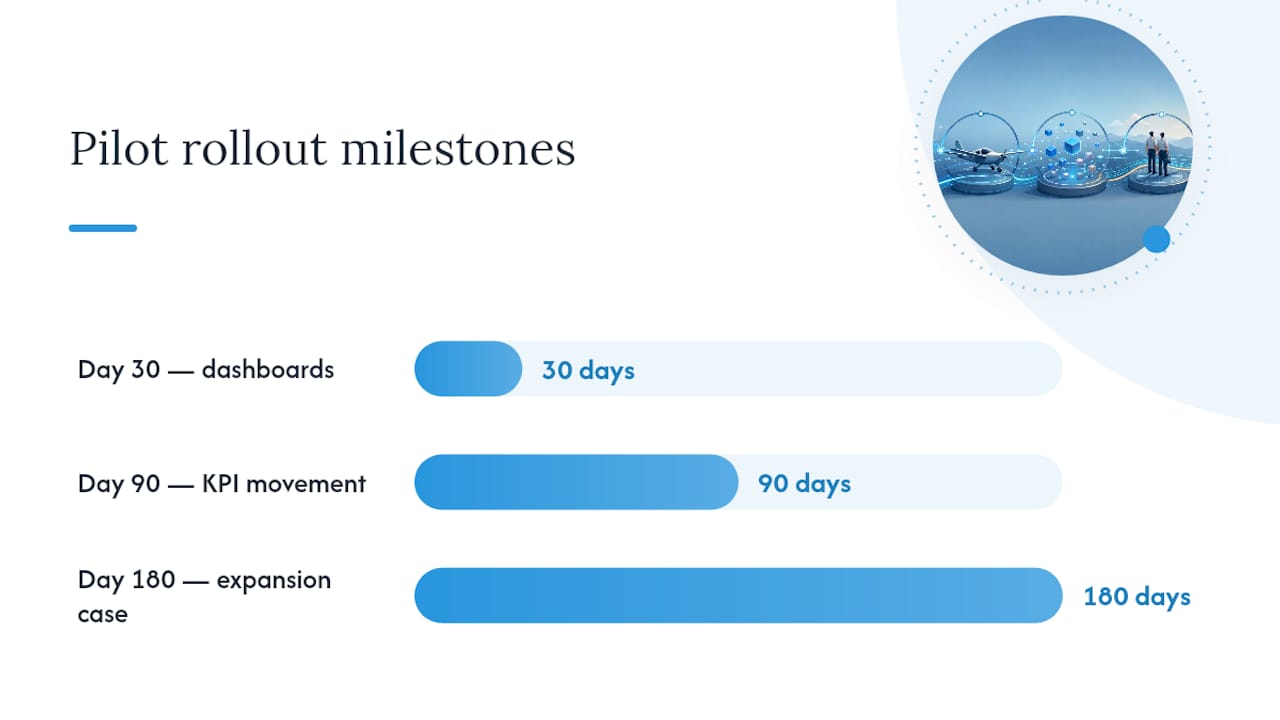
By day 30, expect basic dashboards live and instructors checking them voluntarily. By day 90, you should see measurable movement on at least one KPI, usually fleet utilization or lesson completion rate. By day 180, the case for expanding to the rest of the fleet should make itself.
How Do You Verify a Vendor’s “Training Intelligence” Claims?
Every vendor in this space now says “AI-powered” and “predictive.” Your job is to make them prove it before you sign a contract, not after.
Ask for evidence on these points before any demo:
- What exact data types does the platform accept (ADS-B CSV, Garmin exports, ForeFlight track logs, direct avionics feeds)?
- Can they show a live auto-import, not a screenshot, from a data source you actually use?
- How is student performance mapped to specific ACS areas, and can you see the scoring logic?
- Can the platform export an FSDO-ready student record on demand?
- What roles and permissions exist for instructors, dispatchers, and administrators?
- What does onboarding look like, and is there a trial period before you commit?
A platform that can’t produce a live auto-import during a demo, and instead relies on prepared screenshots, hasn’t actually solved the ingestion problem it claims to solve. That’s the single most telling test a flight school administrator can run.
SquawkFree’s Flight Intelligence feature is built to answer that live-import question directly, since it auto-imports flight data without requiring instructors to touch a keyboard after the flight.
Integrated Platform or Piecemeal Tools?
The choice comes down to how much reconciliation work you’re willing to accept versus how much control you want over individual pieces.
An integrated platform that combines scheduling, maintenance, and analytics in one system gets you to useful dashboards faster and keeps every KPI reading from the same source of truth. Piecemeal tools (a scheduling app here, a spreadsheet there, a separate maintenance tracker) can be cheaper individually but cost you in reconciliation hours every month, and your KPIs will drift out of sync as each tool updates on its own schedule.
Before choosing either path, get answers to these:
- Who owns the data if you cancel, and can you export it in a usable format?
- What integrations exist today versus what’s “on the roadmap”?
- Is there a free trial or demo period long enough to test real data, not sample data?
- How is student and financial data secured, and who has access by default?
- Is pricing per aircraft, per user, or flat rate, and how does it scale as your fleet grows?
Start with a proof-of-value pilot tied to two or three KPIs you already know matter, like fleet utilization and hours-to-certificate. If a platform can’t move those numbers within one semester, you’ll know before a full-fleet commitment.
Ready to Put Your Fleet Data to Work?
Most flight schools already generate the data. It’s sitting in spreadsheets, paper logbooks, and disconnected apps instead of a dashboard anyone can act on. SquawkFree exists to close that specific gap: it auto-imports flight data through Flight Intelligence, tracks FAA airworthiness directive compliance automatically, manages scheduling and pre-flight checklists, and digitizes old paper logbooks through OCR and human verification, all from one login.

A 90-day onboarding with SquawkFree typically looks like this: your fleet’s flight data starts flowing in automatically within the first few weeks, your maintenance and AD tracking gets caught up to current compliance status, and by day 90 you have a working set of dashboards your instructors are already checking without being told to. SquawkFree offers a free trial period, so you can test it against your actual fleet and student data before committing to anything. If your school is still reconciling spreadsheets by hand, start a trial at SquawkFree and see what a fully imported flight record looks like for your own aircraft.
What I’ve Learned Watching Flight Schools Adopt Analytics
The biggest mistake I see flight schools make isn’t picking the wrong platform. It’s trying to roll out analytics to the whole fleet and every instructor at once, which guarantees resistance because nobody has time to learn a new system while also flying a full schedule.
Start smaller than feels comfortable: one aircraft, one instructor, 60 days. Let that instructor become your internal proof point. Every successful rollout I’ve studied follows this same shape, whether the school has three airplanes or thirty. The instructors who resist loudest are usually the ones who end up defending the system once they see one at-risk student get caught early.
— Trent
Sources
Recommended
No credit card required · read-only after trial