
Fix Recurring Inspection Tracking in 4–8 Weeks for Safety & QA Teams

Fix Recurring Inspection Tracking in 4–8 Weeks for Safety & QA Teams
Recurring inspection tracking automates schedule creation, assignment, reminders, and escalations, and it leaves behind an audit-ready record of every check. The right setup uses reusable templates and automation rules so instances generate themselves, evidence gets captured at the point of inspection, and nothing slips through because someone forgot a due date. SquawkFree is the aviation-focused example we’ll return to, though the same logic applies to any team choosing between an entry-level field app and an enterprise platform.
TL;DR:
- Automated scheduling relies on customizable rules, with instances generating and updating themselves without manual input, ensuring no inspection is missed.
- Effective setup requires matching inspection cadence to asset risk, using templates with mandatory fields, location inheritance, and version control for compliance consistency.
- Overdue inspections should trigger tiered reminders based on severity, with auto-generated reinspection workflows linked to corrective actions for full audit traceability.
- Critical software features include a recurrence engine, immutable audit trail, configurable escalations, mobile offline support, and role-based access for scaling inspection programs.
- Centralized schedule logic combined with regular human review, pilot testing, and KPI tracking supports sustainable, scalable, and audit-ready inspection management systems.
Table of Contents
- How Does Recurring Inspection Tracking Actually Work?
- How Do You Set Up Recurring Inspection Schedules?
- Who Gets Assigned, and What Happens When an Inspection Goes Overdue?
- What Features Should You Require From Inspection Scheduling Software?
- What KPIs and Habits Keep an Inspection Program on Track?
- How SquawkFree Applies Recurring Inspection Tracking to Aviation
- What I’ve Learned Watching Inspection Programs Scale
- Get Audit-Ready Tracking Without Building It Yourself
- Sources
- FAQ
How Does Recurring Inspection Tracking Actually Work?
Every recurring inspection program runs on a recurrence rule. That rule can be a fixed interval (every 90 days), a calendar anchor (the first Monday of each quarter), or an event trigger (30 days after a component is installed). Once you set the rule, the system does the rest.
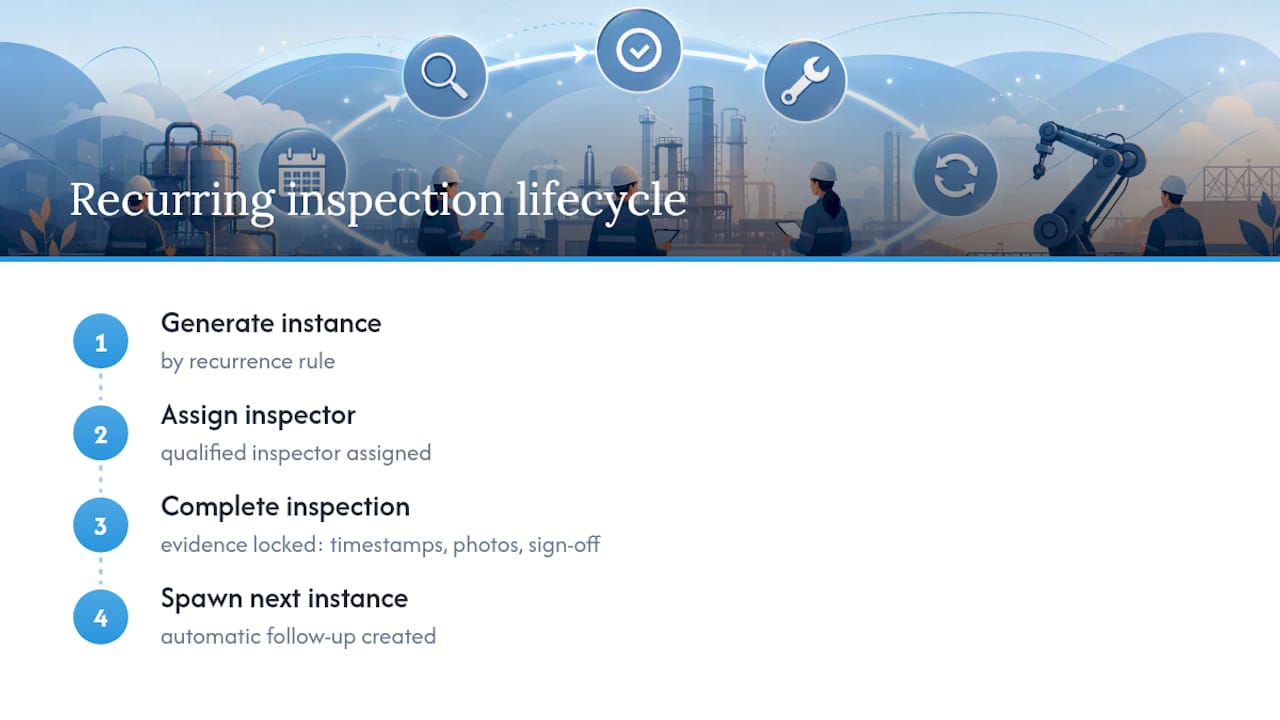
Here’s the lifecycle: an instance generates automatically, gets assigned to a qualified inspector, gets completed with evidence attached, and then spawns the next instance on its own. No one has to remember to schedule the follow-up.
Evidence capture is what separates a real audit trail from a checklist someone filled out at their desk. Timestamps, photos, attachments, and inspector sign-offs get locked into an immutable log, meaning nothing can be edited retroactively without leaving a trace. Product documentation on recurring inspection systems consistently emphasizes preserving “from and to” value snapshots for every changed answer, which is exactly what an auditor or investigator wants to see months later.

Automation matters here for a practical reason. OSHA’s Safety Pays resources show that undocumented or infrequent checks drive up workplace risk and cost, while documented programs support both risk reduction and compliance readiness. A missed inspection is not just a paperwork gap. It’s a liability gap.
How Do You Set Up Recurring Inspection Schedules?
Cadence choice comes first, and it should match the actual risk profile of what you’re inspecting, not administrative convenience. A fire extinguisher check might run monthly. A structural load test might run quarterly. A pre-flight inspection is daily by definition. Custom cadences exist for the in-between cases, like a 45-day component check tied to usage hours rather than the calendar.
- Choose the cadence type. Match daily, weekly, monthly, quarterly, or custom intervals to the regulatory or manufacturer-recommended frequency for that asset or location.
- Build one reusable template per inspection type. Map it to a location, asset class, or permit type so you configure it once instead of rebuilding it for every site.
- Define required fields. Lock in mandatory checklist items, required photo evidence, and sign-off fields so an inspector cannot submit an incomplete record.
- Use location inheritance. Roll a template out across sub-areas or fleet units without re-entering the same rules at each level.
- Version your templates. When a regulation or internal standard changes, update the template once and apply version control so old records stay intact for historical audits.
This mirrors how larger platforms handle it. Oracle’s public-sector documentation describes configuring recurring inspections so a completed inspection’s result can trigger the next one automatically, tied to permit type. Smaller teams get the same effect with template-based rules, no enterprise system required.
Who Gets Assigned, and What Happens When an Inspection Goes Overdue?
Assignment usually follows one of three models: fixed assignment to a specific person, rotation across a qualified pool, or qualification-based assignment that checks certifications before anyone gets the task. Qualification-based assignment matters most for regulated work, since it prevents an unqualified inspector from being routed a job they legally cannot sign off on.
Overdue handling is where most programs either hold together or quietly fail.
- Set a reminder cadence that fires before the due date, not just after it.
- Build escalation tiers so an overdue inspection notifies a supervisor after 24 hours and a compliance lead after 72.
- Use a dashboard that surfaces overdue and at-risk items first, not buried in a general task list.
Failed items need a reinspection workflow, not a manual note to “check again later.” A failed checklist item should auto-generate a follow-up inspection, link to a corrective action or work order, and stay open until someone verifies closure. Keep the original failed inspection and its full history accessible. Auditors and investigators need to see not just that a problem got fixed, but when it was found and how long it took.
Pro Tip: Set escalation tiers based on severity, not just time elapsed. A missed cleanliness check and a missed safety-critical inspection should never share the same 72 hour grace window.
What Features Should You Require From Inspection Scheduling Software?
Not every inspection scheduling software platform handles all of this well, and the gaps usually show up during an audit, not during a demo. A few features are non-negotiable if you’re serious about inspection frequency tracking at scale.
- A real recurrence engine. It should support custom patterns and generate batches of future instances, not just one at a time.
- An immutable audit trail. Every entry needs a timestamp, a user ID, and a change snapshot, with exportable reports ready for regulators.
- Configurable escalations. Notifications and SLA thresholds should be adjustable per inspection type, not one-size-fits-all.
- Mobile and offline support. Field inspectors lose signal constantly; the app should queue photo and file attachments and sync once connectivity returns.
- Integration hooks. API access or event triggers that connect to existing asset registries or a CMMS avoid duplicate data entry.
- Role-based access and qualification checks. Combined with the ability to clone schedules across sites, this is what actually lets a program scale past one location.
Vendor documentation across the inspection-management space converges on this same feature set for a reason: skip any one of them and the audit trail has a hole in it.
What KPIs and Habits Keep an Inspection Program on Track?
Track completion rate, overdue rate, mean time to close corrective actions, and coverage by asset or location. These four numbers tell you almost everything about whether a program is working or just generating paperwork.
Standard operating procedures matter as much as the metrics. Assign a clear owner for each recurring schedule, review cadences on a set schedule (not “whenever someone remembers”), keep template version control tight, and run a quarterly audit drill to catch drift before a real inspector does.
The most common pitfalls are self-inflicted: checklists so long inspectors start skimming, spreadsheets standing in for a real system, and escalation rules that exist on paper but never actually fire. Start a pilot on your highest-risk assets or sites, run it for four to eight weeks, measure the KPIs above, then scale to the rest of your fleet or facility portfolio.
How SquawkFree Applies Recurring Inspection Tracking to Aviation
General aviation maintenance is recurring inspection tracking under a different name: airworthiness directives, annual inspections, and component life limits all run on cadence rules. SquawkFree automates the evidence-capture side of that equation through its Flight Intelligence feature, which imports flight data automatically instead of requiring manual logbook entry.
On the compliance side, SquawkFree links FAA airworthiness directives directly to maintenance records, so a fleet manager or aircraft owner can see AD status alongside inspection history in one place rather than cross-referencing two systems. For a deeper look at how that plays out in practice, Trent’s posts on maintenance due tracking and annual inspection prep walk through the same audit-ready patterns discussed above, applied to GA fleets and flight schools specifically.
What I’ve Learned Watching Inspection Programs Scale
Centralize the schedule logic; leave execution flexibility to local teams. Automation catches missed dates, but it won’t catch a template quietly drifting out of date, so build in periodic human review. Pilot small, measure honestly, then scale.
— Trent
Get Audit-Ready Tracking Without Building It Yourself
If you’re managing a GA aircraft, a co-owned fleet, or a flight school’s training aircraft, you already have the recurring inspection problem this article describes: airworthiness directives, annual inspections, and component life limits, all running on their own cadences. SquawkFree is built specifically for that case. Flight Intelligence auto-imports flight data from ADS-B for $3 per month per aircraft, cutting out the manual logbook entry that causes missed evidence in the first place, while AD tracking stays linked to your maintenance records automatically.

Individual owners can run the full platform on the Premium plan for $4.99 per month, and flight schools managing multiple aircraft get role-based access and unlimited aircraft records on the Flight School plan at $55 per month. Schools currently on MyFBO can move over with free data migration through the MyFBO alternative page. Visit SquawkFree to start your trial and see the audit trail build itself from your next flight.
Sources
For risk-and-cost context, review OSHA’s Safety Pays estimator. For system-level reinspection logic, see Oracle’s configuration documentation. For aviation-specific examples, browse the SquawkFree blog.
- OSHA Safety Pays estimator information
- Setting up recurring inspections and reinspections — Oracle documentation
FAQ
What Is the Biggest Red Flag in a Home Inspection?
There’s no single universal red flag since severity depends on the asset and jurisdiction, but recurring issues that reappear across multiple inspection cycles despite prior corrective action tend to signal a systemic problem rather than a one-off failure.
How Long Does It Take for an Inspection Report to Come Back?
Turnaround varies by inspection type and complexity, but automated systems with mobile capture typically finalize reports within hours of completion since evidence and sign-offs are logged in real time rather than transcribed later.
What Is a Follow-Up Inspection?
A follow-up, or reinspection, is a new inspection instance generated automatically after a failed item, used to verify that a corrective action actually resolved the problem before the record is closed.
What Are the Four Types of Inspections?
Definitions vary by industry, but a common framework distinguishes routine (scheduled/recurring), pre-use, follow-up (reinspection), and event-triggered inspections based on a specific incident or threshold being met.
Does SquawkFree Support Recurring Inspection Tracking for Aircraft?
Yes. SquawkFree tracks recurring maintenance items, links FAA airworthiness directives to maintenance records, and uses Flight Intelligence to auto-import flight data so evidence stays current without manual entry.
Recommended
No credit card required · read-only after trial