
Avoid Missed ADs: Auto Maintenance Interval Tracking for GA Owners

Avoid Missed ADs: Auto Maintenance Interval Tracking for GA Owners
Accurate maintenance interval tracking means tying every inspection, life-limited part, and AD to real flight-log time and a calendar backstop, not a mental note about “roughly 50 hours since the oil change.” The right approach links your flight hours to inspection counters and Airworthiness Directive status automatically, so nothing slips through when hours and calendar dates both apply. Tools like SquawkFree exist precisely to keep that link intact without demanding you become a records clerk on top of being a pilot.
TL;DR:
- Automated flight time import from ADS-B feeds and logbook digitization reduce manual data entry and help maintain accurate interval tracking.
- Records must document total service time, life-limited parts, and compliance with ADs, with details retained for at least one year or transferred during aircraft sales.
- When hour and calendar limits overlap, the task due date is determined by whichever counter reaches its limit first, often causing missed maintenance if overlooked.
- Fleet operators need role-based access, fleet-wide AD tracking, and compliance enforcement tools to ensure consistency and audit readiness across multiple aircraft.
- Proper record-keeping, linking flight hours directly to AD and inspection status, and timely updates at each compliance action are crucial for audit and safety compliance.
Table of Contents
- What Does the FAA Require You to Record and Retain?
- What Should Every Owner or Manager Be Tracking?
- How Do You Handle Overlapping Hour and Calendar Intervals?
- How Do You Automate Flight Log Import and Interval Updates?
- Single Aircraft or Fleet: How Should Setup Differ?
- What Actually Matters When Managing These Intervals
- How SquawkFree Puts This Workflow to Work
- Sources
- FAQ
What Does the FAA Require You to Record and Retain?
Your legal obligations start with 14 CFR 91.417, which spells out exactly what maintenance records must contain and how long you keep them. This is the regulation an FAA inspector or a buyer’s mechanic will check first, so your tracking system needs to mirror its structure, not just approximate it.
Under 91.417, your records must show:
- Total time in service for the airframe, engine, and propeller
- Current status of life-limited parts, expressed as time or cycles remaining
- Time since the last overhaul on items requiring one
- Current inspection status, including compliance times for inspections you’re required to conduct
- Current AD status, including method of compliance and the time or date of the next required action
Records covered under §91.417(a)(1), things like routine maintenance entries, must be kept until the work is repeated or superseded, or for one year. Records under §91.417(a)(2), like total time and AD status, follow the aircraft when you sell it. Separately, 14 CFR Part 43 governs what a maintenance entry itself must include: a description of the work, the completion date, the name of the person performing it, and a signature with certificate number for anyone approving return to service.
For ADs specifically, the FAA Dynamic Regulatory System is the authoritative search tool. Compliance is measured against the AD’s effective date, and the FAA’s own AD search guidance recommends searching by aircraft model rather than manufacturer, since type certificates change hands and a manufacturer-only search can miss applicable ADs. When you log compliance, AC 43-9C’s Appendix 1 offers a practical template: AD number, amendment, date received, total time in service at compliance, method used, and next recurring action if the AD is not one-time.
What Should Every Owner or Manager Be Tracking?
A tracking program that actually holds up to audit needs to cover five categories of recurring work, each with its own logic.
- Annual and 100-hour inspections. Every aircraft operated under Part 91 needs an annual inspection performed by an A&P with Inspection Authorization or an appropriately rated repair station. Aircraft used for hire also need a 100-hour inspection, which a plain A&P can sign off without IA.
- Progressive inspection programs. Some owners spread inspection work across shorter, more frequent visits instead of one annual event. Progressive programs must meet FAA-approved requirements before you can use one in place of a standard annual.
- Life-limited parts. Components like certain engine parts or rotor hardware carry hard time or cycle limits. Track them at the part level: name, part number, serial number, installation date, and time since new, so the part’s history travels cleanly if it’s ever removed and reinstalled elsewhere.
- Recurring AD items. Log the method of compliance and the next due action every time, not just the first compliance event.
- Preventive tasks tied to hours or calendar time. Oil changes typically run on hours; battery checks and hose replacements often run on calendar time regardless of flight activity.
Owners who perform their own preventive maintenance under AOPA’s guidance still need to log that work with the same rigor as shop-performed items.
Pro Tip: Keep life-limited part records separate from your general logbook entries. When you sell the aircraft or swap the part to another airframe, a standalone part history saves hours of digging through years of unrelated logbook pages.
How Do You Handle Overlapping Hour and Calendar Intervals?
When a task carries both an hour limit and a calendar limit, whichever comes first governs. An oil change due at 50 hours or 4 months doesn’t wait for the hours if 4 months passes first, and vice versa. The same logic applies to cycles versus hours on landing-gear-related ADs and to combined hour/calendar AD compliance windows.
The most common failure mode isn’t misunderstanding the rule. It’s forgetting that the calendar side even exists on a low-utilization aircraft that only flies 40 hours a year.
- Add a calendar backstop for every hour-based task on aircraft flown under roughly 75 hours annually.
- Bundle out-of-phase items, tasks that don’t naturally line up with your annual, into the nearest major inspection event as a grouped work package.
- Flag combined hour/calendar ADs so both counters trigger a reminder, not just the one most likely to hit first.
- For aircraft over 20 years old, layer in special-attention inspections like borescope or eddy current checks, which the FAA’s aging aircraft best practices guidance recommends beyond minimum intervals.
How Do You Automate Flight Log Import and Interval Updates?
Manual logbook transcription is where most missed intervals originate, not deliberate oversight. A workflow that pulls flight time automatically closes that gap before it opens.
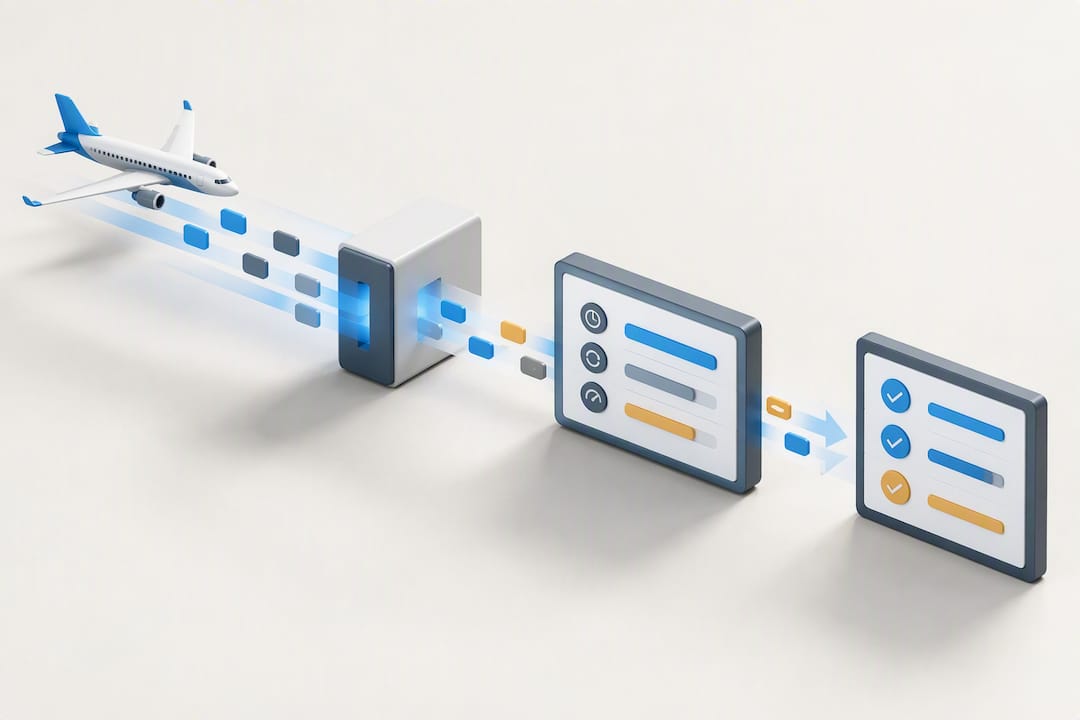
Start with the right inputs: aircraft registration, component serial numbers for anything life-limited, and per-flight time measured takeoff to touchdown rather than engine start to shutdown, since that’s the standard basis for “time in service” under most operating limitations.
From there, the workflow runs in four steps:
- Import the data. ADS-B-based feeds like SquawkFree’s Flight Intelligence capture flight time automatically; CSV import and OCR-based digitization handle paper logbooks and legacy records.
- Update counters. Map imported flight time directly to time-in-service, then increment every inspection and life-limited part counter tied to that airframe or engine.
- Match applicable ADs. Search per product using the DRS model field, track each AD’s effective date, and log recurring ADs with their next due action rather than treating them as closed after one compliance event.
- Trigger reminders early. Set lead times well before the actual due point, not the same week, so a 100-hour inspection due in three flights doesn’t catch you at an outstation with no mechanic available.
Pro Tip: Log return-to-service entries the moment work is complete, not days later from memory. An entry written same-day, with certificate number and total time in service at that exact point, holds up far better under an insurance claim or pre-buy inspection than a reconstructed one.
Single Aircraft or Fleet: How Should Setup Differ?
A single owner and a flight school need fundamentally different levels of structure, even though the underlying regulations are identical.
For one aircraft, keep it lightweight: hour and calendar counters for every recurring item, a calendar backstop for anything that could go stale between flights, and manual signoff by you or your mechanic at each milestone.
A fleet changes the math. You need:
- Role-based access so instructors and dispatchers see schedules without touching compliance records
- Per-aircraft counters that don’t cross-contaminate when tail numbers get swapped between lessons
- A shared AD list applied consistently across every aircraft of the same model
- Scheduling and dispatch tools that block an aircraft from flying once a hard AD or inspection deadline is reached
- Consolidated reporting that produces an audit-ready snapshot across the whole fleet, not just one tail at a time
Retention matters at sale, too. Records tied to §91.417(a)(2), total time and AD status, transfer with the aircraft, so keep them exportable and organized well before a buyer’s mechanic asks for them.
What Actually Matters When Managing These Intervals
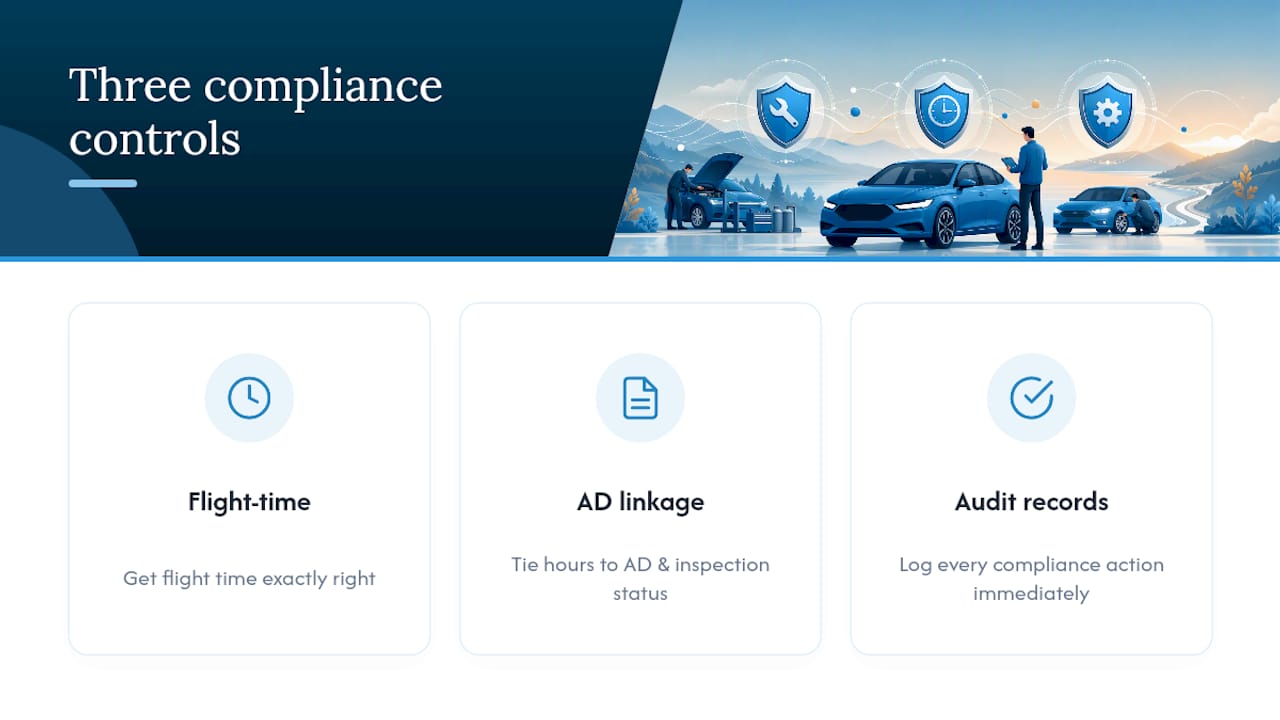
Three things drive whether a tracking system holds up under real scrutiny: counter accuracy, AD linkage, and audit-ready records. Get the flight time right, tie it directly to AD and inspection status, and log every compliance action the moment it happens. Skip any one of those and the other two stop mattering.
Manual tracking works fine for a single, low-utilization aircraft with a disciplined owner. It falls apart fast once you add a second airplane, an instructor who doesn’t log consistently, or an AD with a recurring interval that’s easy to forget six months later. That’s the point where automation earns its subscription cost rather than just adding convenience.
If you’re starting from scratch, do three things this week: pull your current AD list from DRS by model, reconcile it against your logbooks, and set a calendar backstop on every hour-based item you fly under 75 hours a year.
— Trent
How SquawkFree Puts This Workflow to Work
SquawkFree is built around the exact workflow this article describes. Flight Intelligence auto-imports flight data from ADS-B feeds, eliminating manual logbook entry while feeding detailed analytics back into your interval counters. AD compliance and maintenance tracking run inside the same system, so your inspection status, life-limited part counters, and recurring AD due dates stay linked instead of living in separate spreadsheets.

If you’re moving from another system, SquawkFree offers free migration from MyFBO, so a flight school switching over doesn’t lose historical records in the process. Owners sitting on years of paper logbooks can convert them through the logbook digitization service, with OCR extraction and human verification turning stacks of paper into audit-ready digital records. Every plan includes unlimited aircraft records and granular role-based access, and your data stays exportable and readable for at least two years after cancellation. Start with a free trial at SquawkFree and see how your current logbooks map onto automated counters before you commit to anything.
Sources
FAQ
What Is Maintenance Interval Tracking for GA Aircraft?
It’s the practice of monitoring inspection due dates, life-limited part status, and AD compliance against your actual flight hours and calendar time. Done correctly, it ties every counter to logged flight time rather than estimates, which is what 14 CFR 91.417 expects your records to reflect.
How Do I Search for Applicable ADs on My Aircraft?
Search the FAA Dynamic Regulatory System by aircraft model rather than manufacturer, since type certificates can change hands over time. Compliance is measured from each AD’s effective date, and recurring ADs need their next due action logged, not just the initial compliance event.
What Happens When an Hour Limit and a Calendar Limit Both Apply?
Whichever occurs first governs the task, whether that’s flight hours, calendar months, or cycles. Low-utilization aircraft are the most common victims of missed calendar-based items, since the hour side never triggers a reminder.
Can Software Automate Flight-Log Import for Interval Tracking?
Yes. Some platforms use ADS-B based Flight Intelligence to auto-import per-flight time and update inspection and AD counters without manual entry. CSV import and OCR digitization also handle legacy paper logbooks for older aircraft.
How Much Does SquawkFree Cost?
SquawkFree’s Premium plan runs $4.99 per month or $54.89 per year, while the Flight School plan is $55 per month or $605 per year. Flight Intelligence adds $3 per month per aircraft, and Logbook Digitization starts from $299 one time per aircraft.
Recommended
No credit card required · read-only after trial